A Misspelled YAML Field Gave an Agent Shell Access
Stop managing invisible YAML files. See your agent harness with IntelliSense, a live dependency graph, and real-time status dashboards directly in VS Code.
When you are building AI agents, you eventually run into the "invisible harness" problem. You have dozens of .xcaf manifests scattered across your repositories. You open one up in VS Code to make a simple tweak. There is no autocomplete. There is no validation. You type tols: instead of tools: and save the file.
The YAML parser doesn't care. Two weeks later, a code-reviewer agent executes a shell command it was never supposed to have access to. The root cause? A misspelled field name silently fell through the cracks because nobody ran the CLI validation command after making an edit. Finding the problem took a week. Fixing it took thirty seconds.
This is what editing agent configurations in the dark feels like. Today, we're turning the lights on.
The xcaffold VS Code extension is now available on the Marketplace. It's free, Apache 2.0 licensed, and installs in under a minute.
Catching Mistakes Before They Happen
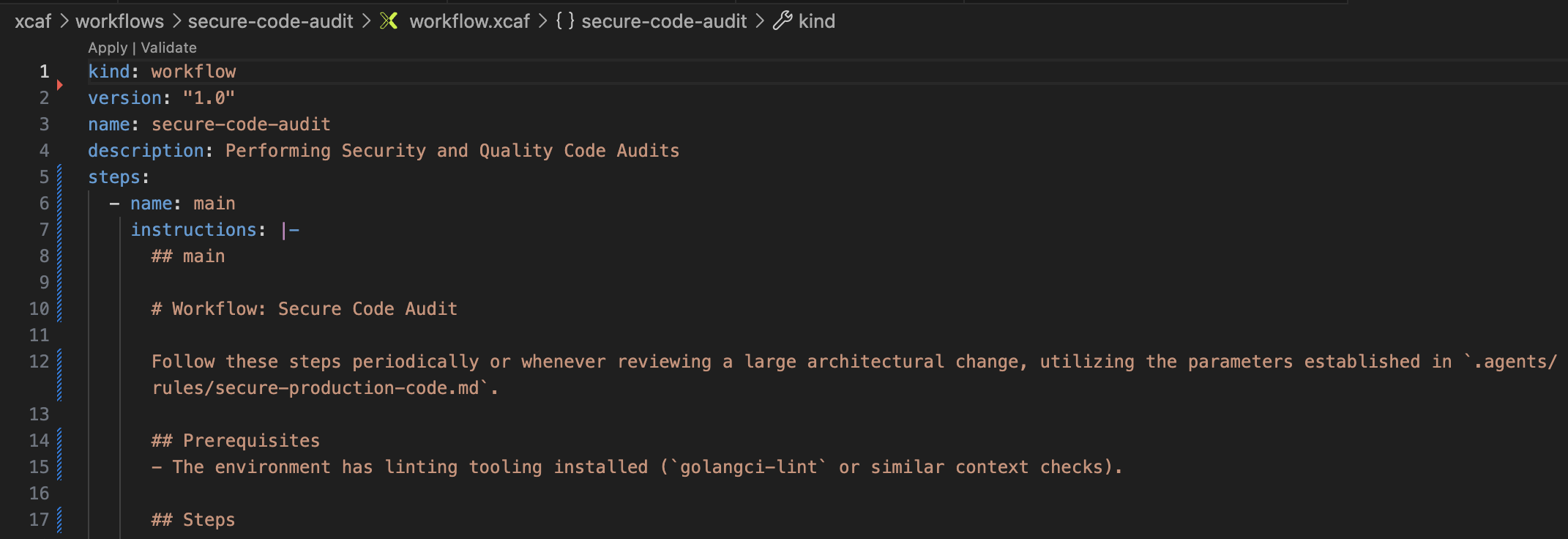
The moment you install the extension, writing .xcaf manifests stops feeling like blind text editing. Because the extension is deeply aware of the xcaffold schema, it brings IntelliSense right to your fingertips.
As you type, you get autocomplete suggestions for every valid field name, resource kind, and value. More importantly, it features validate-on-save. The second you hit Ctrl+S, diagnostics will flag that misspelled tols: field before it ever reaches your team's machines.
Seeing the Shape of Your Harness
Validation fixes typos, but it doesn't help you understand architecture. Once a project grows to fifteen agents, twenty rules, and a dozen skills, relationships become tangled. Agents reference skills, skills reference rules, and MCP servers bind to specific personas.
These relationships exist whether you can see them or not. We decided you should see them.
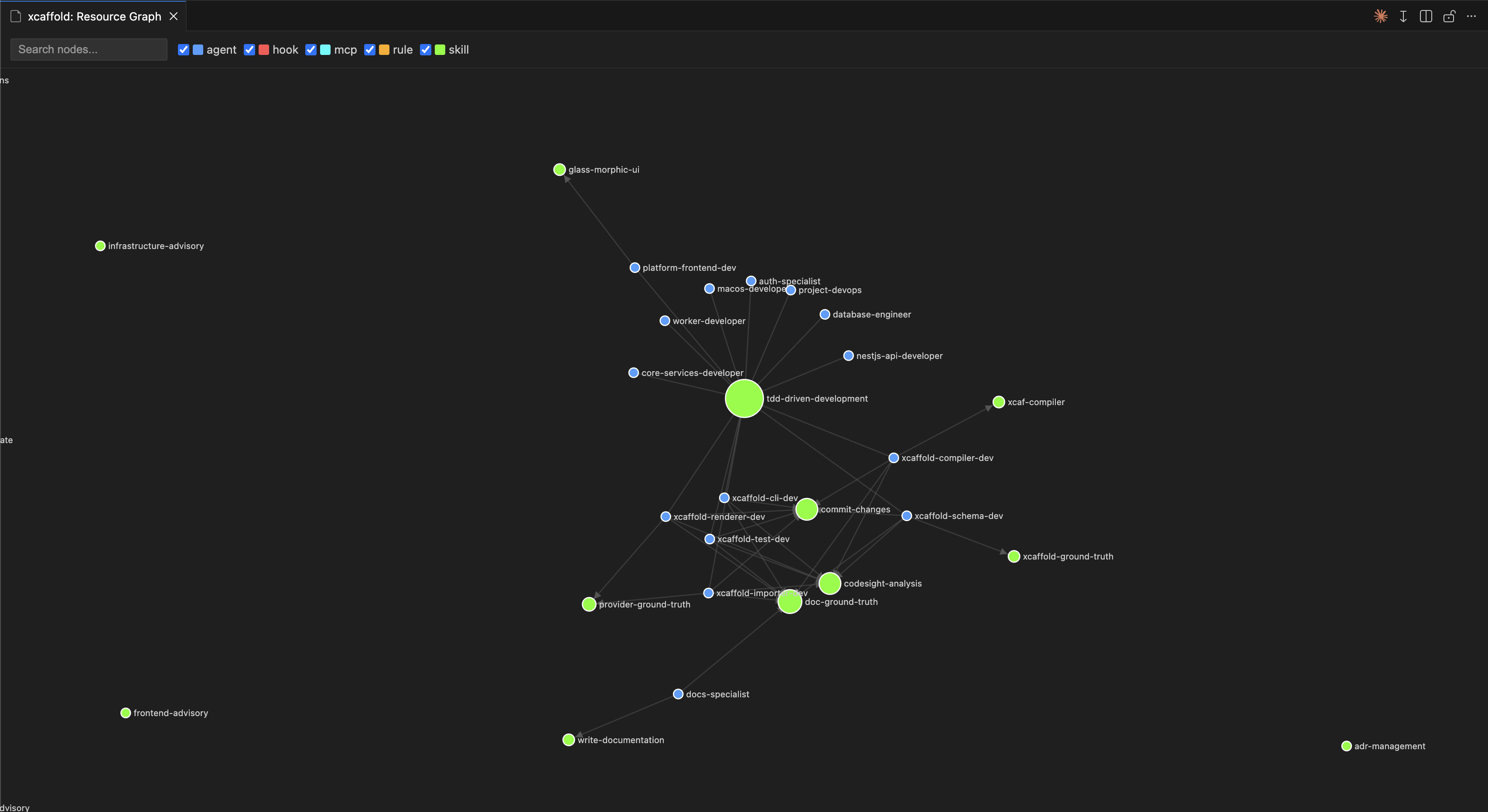
The interactive D3 dependency graph changes how you think about your system. Suddenly, patterns emerge. You might notice a single rule referenced by twelve agents, acting as a single point of failure. You might spot an orphaned agent with no connections. You can drag nodes to reorganize the layout, filter by kind, or click directly on any node to jump straight to its source code. Your harness finally has a shape.
Navigating the Complexity
When you have a massive topology, the standard file tree becomes a bottleneck. Hunting through folders for specific configurations breaks your flow.
To solve this, we built a dedicated Resource Explorer into the VS Code sidebar.
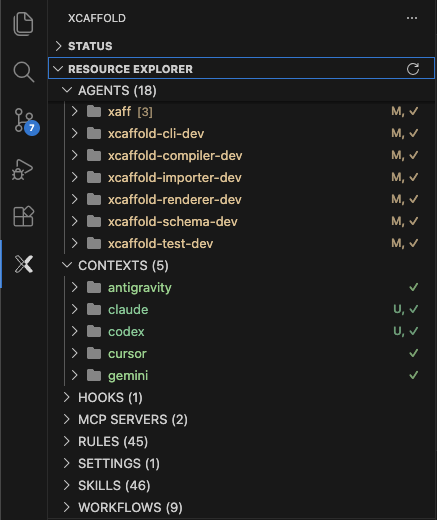
Instead of showing files and folders, the Resource Explorer groups your configurations semantically—by Agents, Skills, Rules, Workflows, MCP Servers, Hooks, Blueprints, Policies, and more. You don't even have to open a file to understand what it does; you can expand any resource to reveal its inline metadata, inspecting its targets, activation modes, and tool counts directly from the sidebar. It even surfaces provider-specific overrides and artifacts, giving you true 1-click access to the files you care about.
Staying in Sync Without the Terminal
Editing and navigating are only half the battle. Once your manifests are perfect, they need to be compiled and pushed to your provider directories (like Claude or Cursor). Usually, this means breaking your flow to switch back to the terminal.
Not anymore. The extension introduces a real-time Status Dashboard that visualizes your entire compilation state.
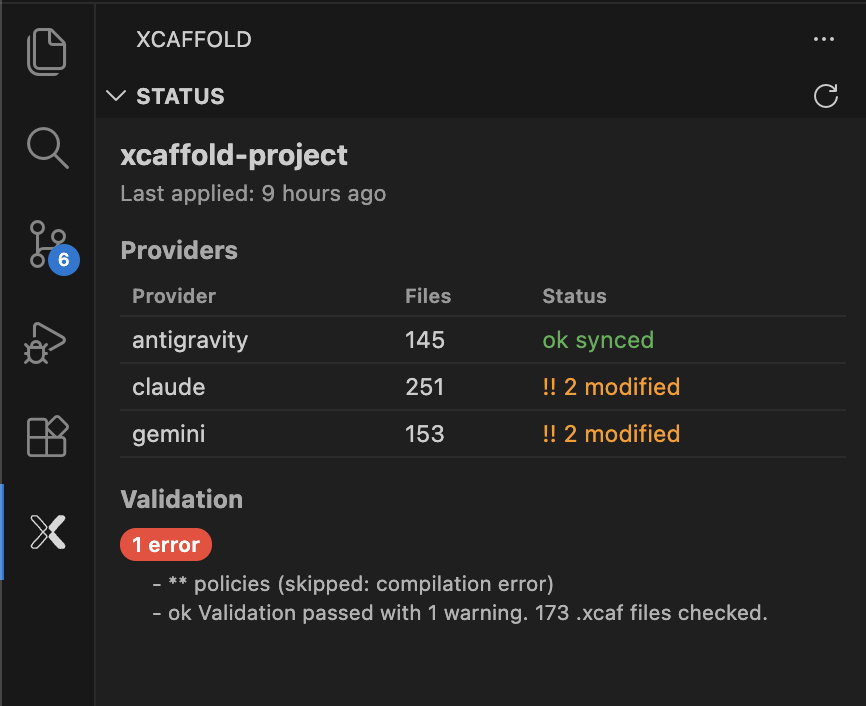
Powered by the xcaffold status command, this dashboard gives you visual cards for every target provider. You get immediate drift indicators—a yellow warning if things are out of sync, or a green checkmark if they are aligned. Need to fix a drift? Just hit the "Apply" button directly on the provider's card.
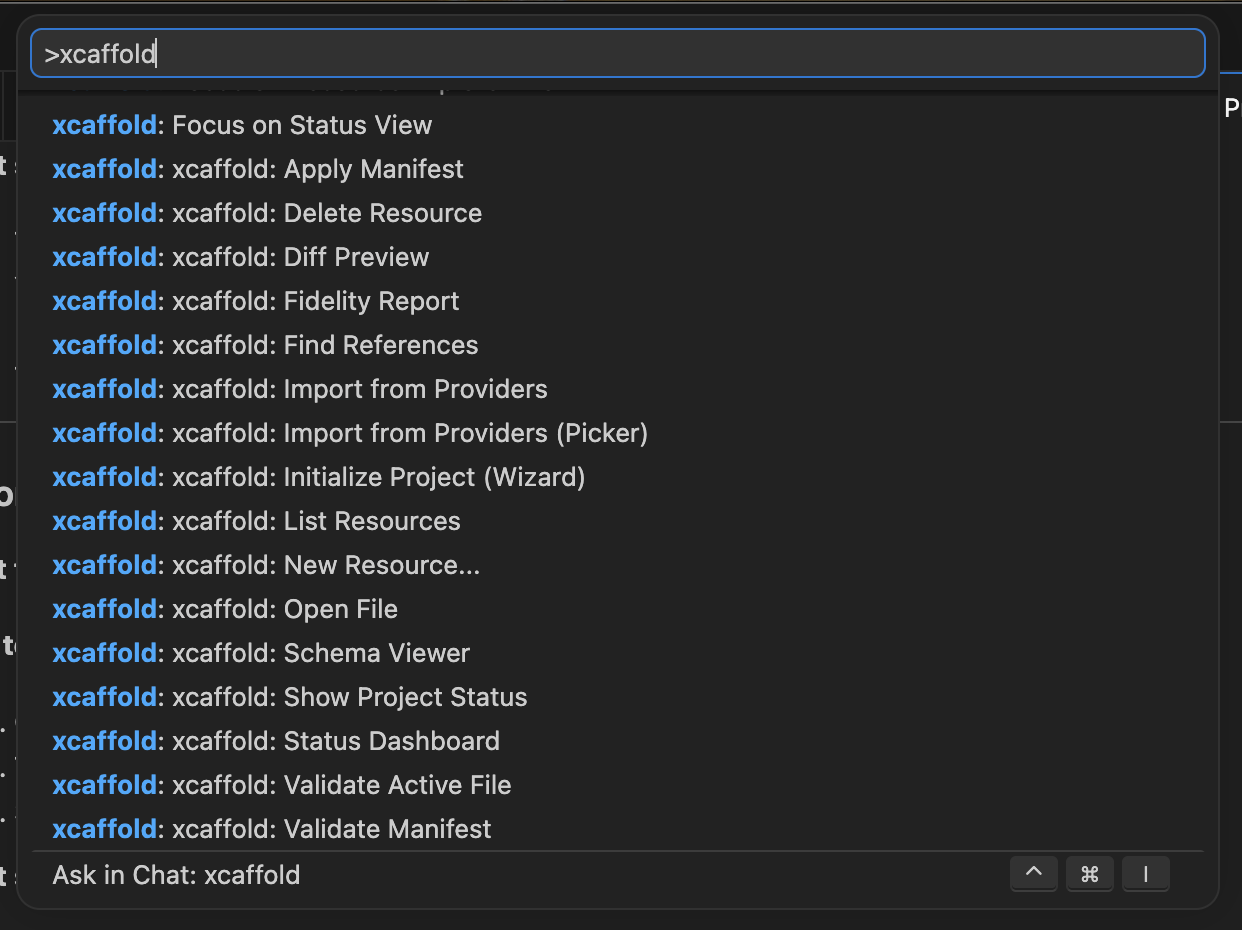
For everything else, you have 18 IDE-native commands accessible via the Command Palette, the sidebar, and CodeLens. CodeLens surfaces Apply and Validate inline above every kind: declaration; the full command set—import, diff, graph, status, and more—is always a Ctrl+Shift+P away.
The Path Forward
The CLI will always be the engine, but the extension is its perfect graphical counterpart. It takes the invisible aspects of agent management and makes them tangible. And best of all, everything that works locally today will remain completely free.
See your agent harness. Install the xcaffold VS Code extension — free, open source, ready in 30 seconds.
Install from the Marketplace | Read the docs | Star on GitHub